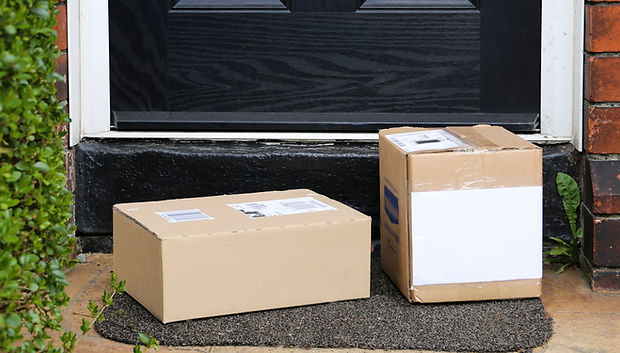
How It Works
1. Submit a Service Request
Start by submitting a Rexurn service request form.
You’ll provide details about:
-
Pickup frequency needs
-
Estimated package volume
-
Preferred pickup location
-
Interest in optional services, including Label Assist
Submitting a request does not schedule a pickup or require payment.
Pricing varies based on pickup frequency, package volume, and service area.
You will receive pricing and service details for approval before any charges apply.
2. Review & Approval
Rexurn reviews your request and confirms:
-
Service eligibility
-
Assigned pickup day(s)
-
Monthly or per-pickup pricing
-
Any applicable add-ons, including Label Assist
Approved customers receive next steps and onboarding details by email.
3. Prepare Your Packages
-
Securely seal all boxes or bags
-
Remove or fully cover any old labels or barcodes
You may:
-
Prepare packages with printed, prepaid shipping or return labels, or
-
Use Label Assist, Rexurn’s optional label printing service (additional fees apply)
If using Label Assist, payment must be completed before uploading labels.
4. Upload Labels or QR Codes (When Required)
Upload files only if:
-
You want Rexurn to print and apply labels (Label Assist required), or
-
Your return uses a QR code that does not require printing and must be scanned at the authorized drop-off location
If your packages already have printed, prepaid labels attached, no upload is required.
You may include packages with printed labels and QR codes in the same pickup.
5. Number Your Packages
Clearly write the assigned package number on each package
(Example: RXT-0001, RXT-0002)
-
Package numbers are cumulative until your scheduled pickup is completed
-
If packages are already waiting for pickup, continue numbering from the highest number currently on-site
-
Once pickup is completed and no packages remain, numbering restarts at RXT-0001
Uploads must match the package numbers written on your packages.
If numbering errors occur, packages may be delayed or skipped until corrected.
6. Secure Pickup Container (Subscribers Only — Optional Add-On)
Subscribers may add a Secure Pickup Container placed at an approved location, such as:
-
Front porch
-
Behind a fence
-
Inside a yard
-
Garage or other accessible private location
This enables no-contact pickups. You do not need to be present at the time of pickup.
7. Pickup Assignment & Completion
Pickup days are assigned by Rexurn based on route availability and communicated in advance.
Pickups occur within the assigned route window on your service day.
On pickup day, Rexurn collects your packages and delivers them to the appropriate carrier or authorized return location.
8. Service Updates & Notifications
Rexurn provides updates at key stages of your service, including:
-
Pickup confirmation
-
Package drop-off confirmation
Notifications are sent via email or other approved communication methods.